

Copy the share link
Copy the link straight from the skill’s card in Skills Studio.1
Open Skills Studio
Go to Skills Studio by clicking Skills in the left menu.
2
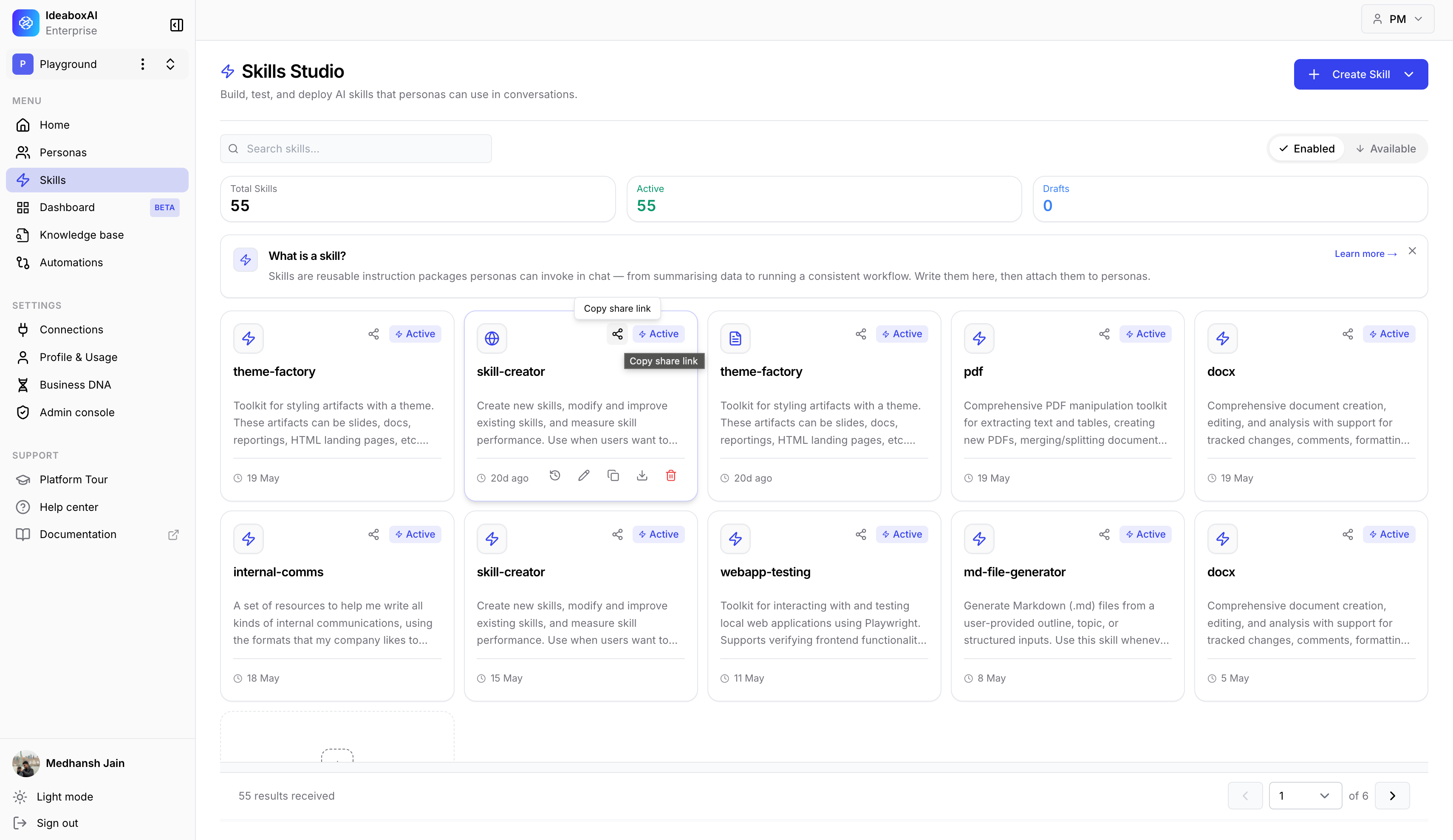
Hover over the skill card
Move your mouse over the card for the skill you want to share.
3
Copy the link
Click the Share icon (the arrow at the top of the card). A small label appears saying “Copy share link”. Click it to copy the link.
Check that the link copied
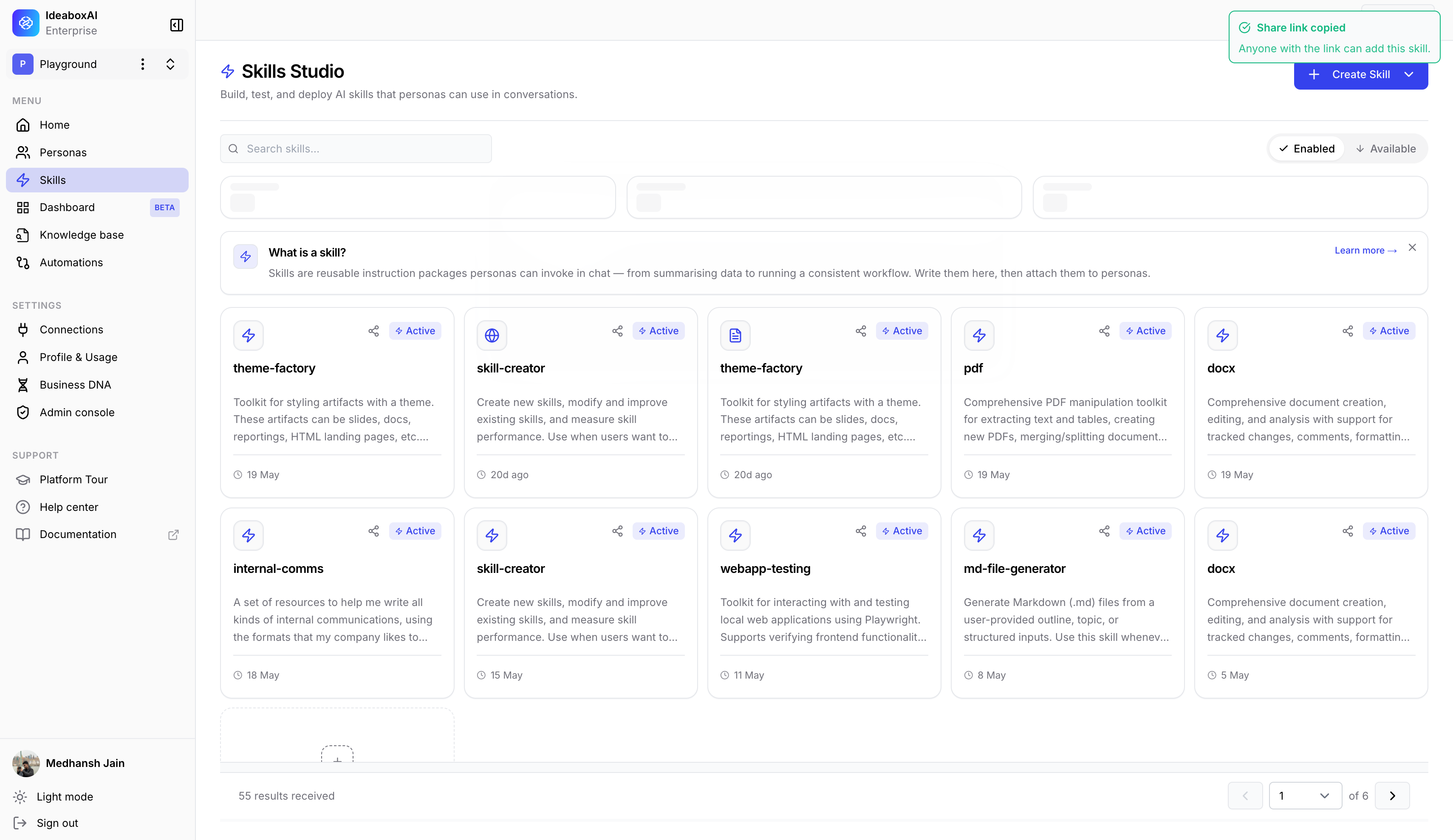
A message appears at the top of the screen to confirm the link is ready to paste.Share link copied. Anyone with the link can add this skill.
Send the link
Paste the link into Slack, an email, or wherever you like. When someone opens it, they can add the skill straight to their workspace.Anyone with the link can add the skill, so only share it with people you want to give access to.