

Once your dashboard is ready, you can share it with your team or embed it in external tools using the Share & Embed panel.Documentation Index
Fetch the complete documentation index at: https://docs.ideaboxai.com/llms.txt
Use this file to discover all available pages before exploring further.
Opening the Share panel
Click the Share button in the top-right toolbar of any dashboard. The Share & Embed panel opens with three distribution methods.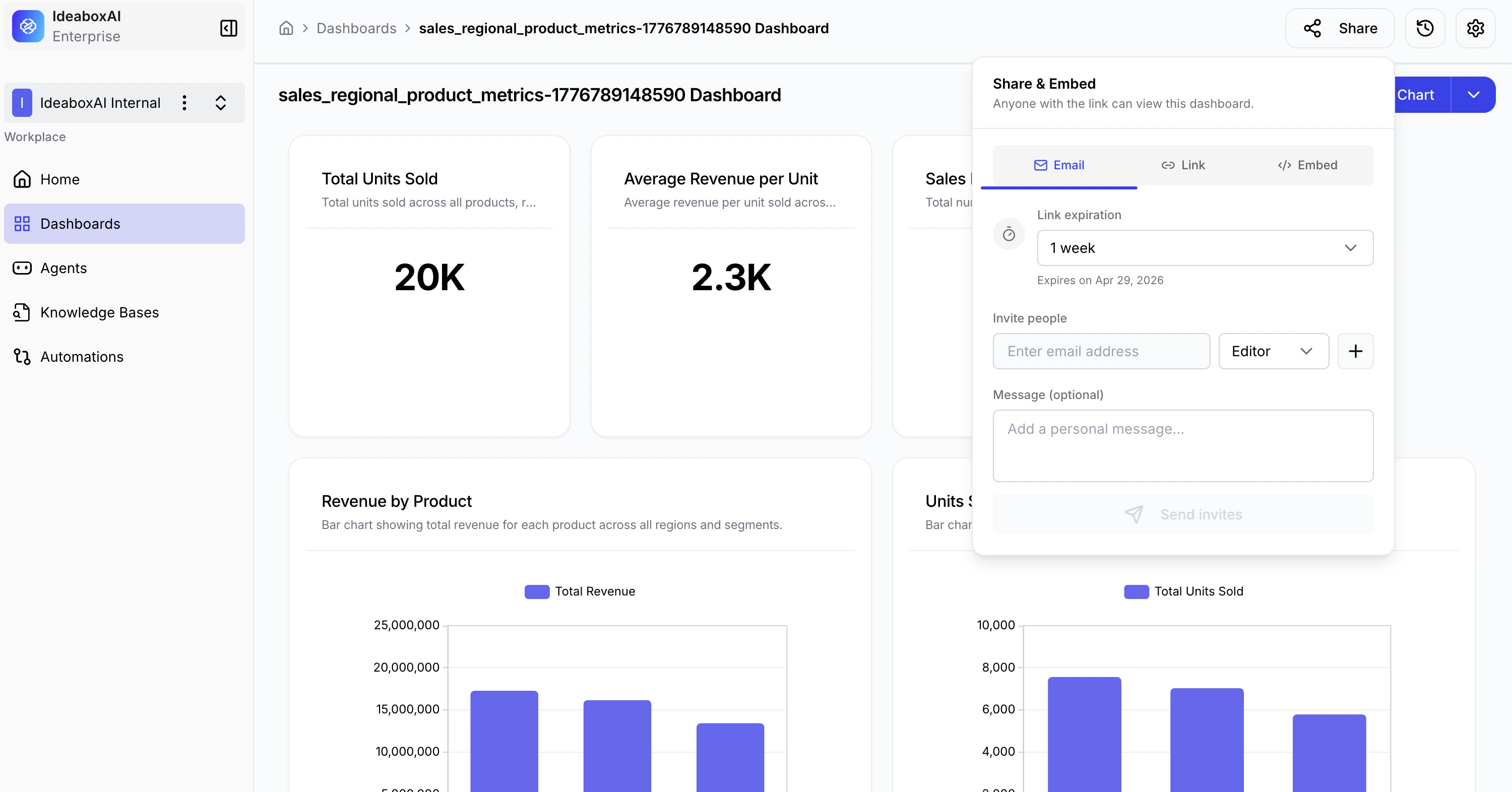
Distribution methods
| Method | Best For | Description |
|---|---|---|
| Team collaboration | Invite specific people by email and assign Editor or Viewer roles. | |
| Link | Quick sharing | Generate a shareable URL with a configurable expiration date. |
| Embed | External tools | Embed your dashboard in websites, wikis, or internal tools using HTML. |
- Select the Email tab.
- Enter one or more email addresses.
- Assign a role — Editor (can modify) or Viewer (read-only).
- Add an optional personal message.
- Click Send Invite.
Link
- Select the Link tab.
- Choose a link expiration: 1 week, 2 weeks, 1 month, or Never.
- Click Generate Link and copy the URL.
Embed
- Select the Embed tab.
- Copy the generated HTML snippet.
- Paste the code into your website, internal wiki, or tool.
Use Email for team collaboration with role management, Link for quick public sharing, and Embed to integrate dashboards into external systems such as Notion, Confluence, or internal portals.