

Alerts let you track critical KPIs automatically. When a metric crosses a threshold you define, Agentic BI sends a notification to the email addresses you specify.Documentation Index
Fetch the complete documentation index at: https://docs.ideaboxai.com/llms.txt
Use this file to discover all available pages before exploring further.
Opening the alert configuration
Click the alert icon on any KPI card in your dashboard. The Set Alert modal opens.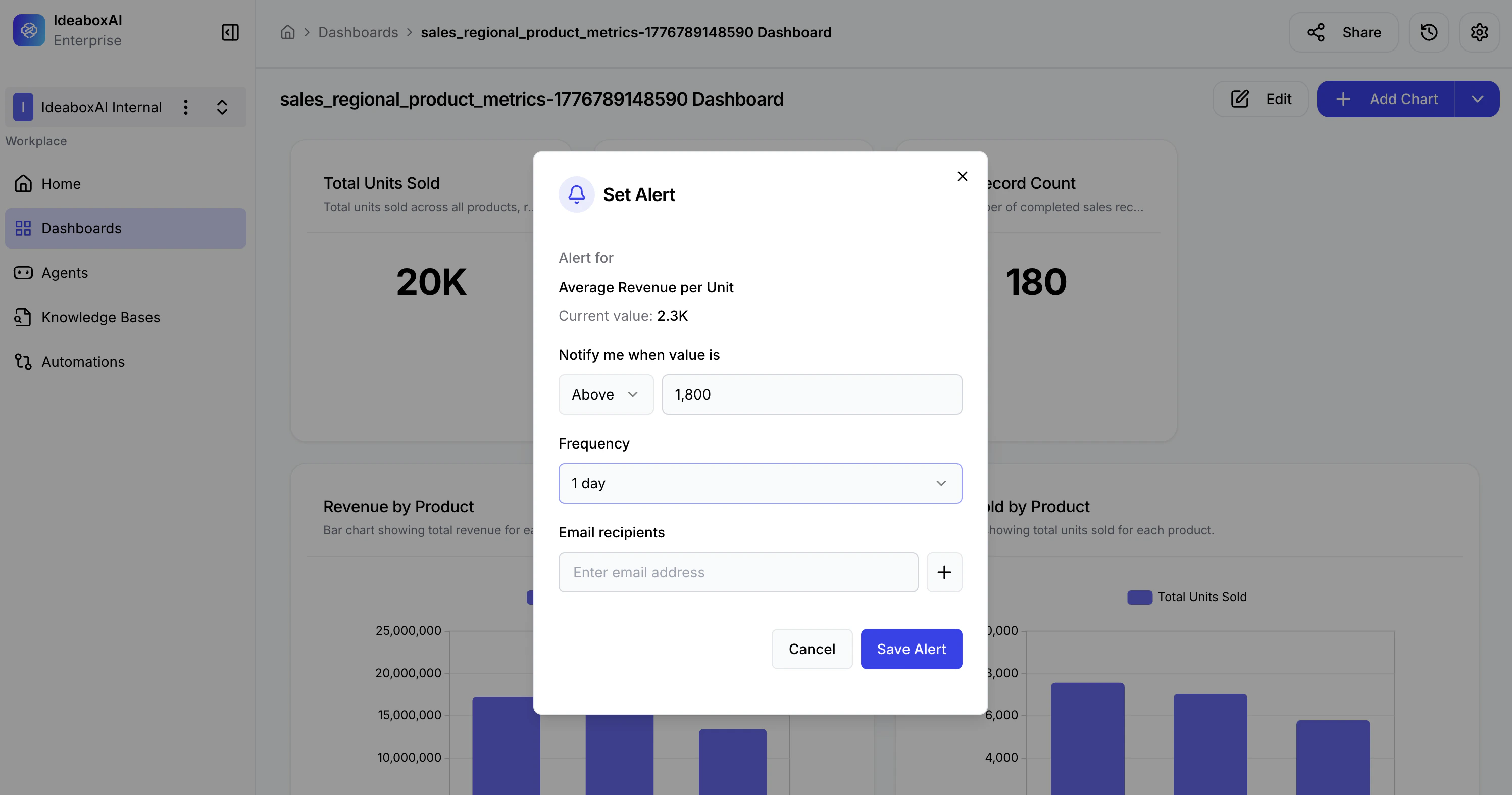
Configuring an alert
| Setting | Description |
|---|---|
| Alert for | Select the KPI metric to monitor. The current value is displayed for reference. |
| Notify me when value is | Set the condition (Above, Below, or Equals) and enter the threshold value. |
| Frequency | Choose how often to check and notify — Daily, Weekly, or Monthly. |
| Email recipients | Add one or more email addresses to receive notifications when the threshold is crossed. |
Saving the alert
After filling in all fields, click Save Alert. The alert becomes active immediately and will trigger notifications according to the frequency you selected.Set alerts on metrics that require immediate attention — for example, alert when revenue drops below a critical threshold or when inventory reaches minimum stock levels. Use Daily frequency for high-priority operational metrics and Weekly for strategic KPIs.