

Understanding cubes
A cube defines three things.Access the cube configuration interface
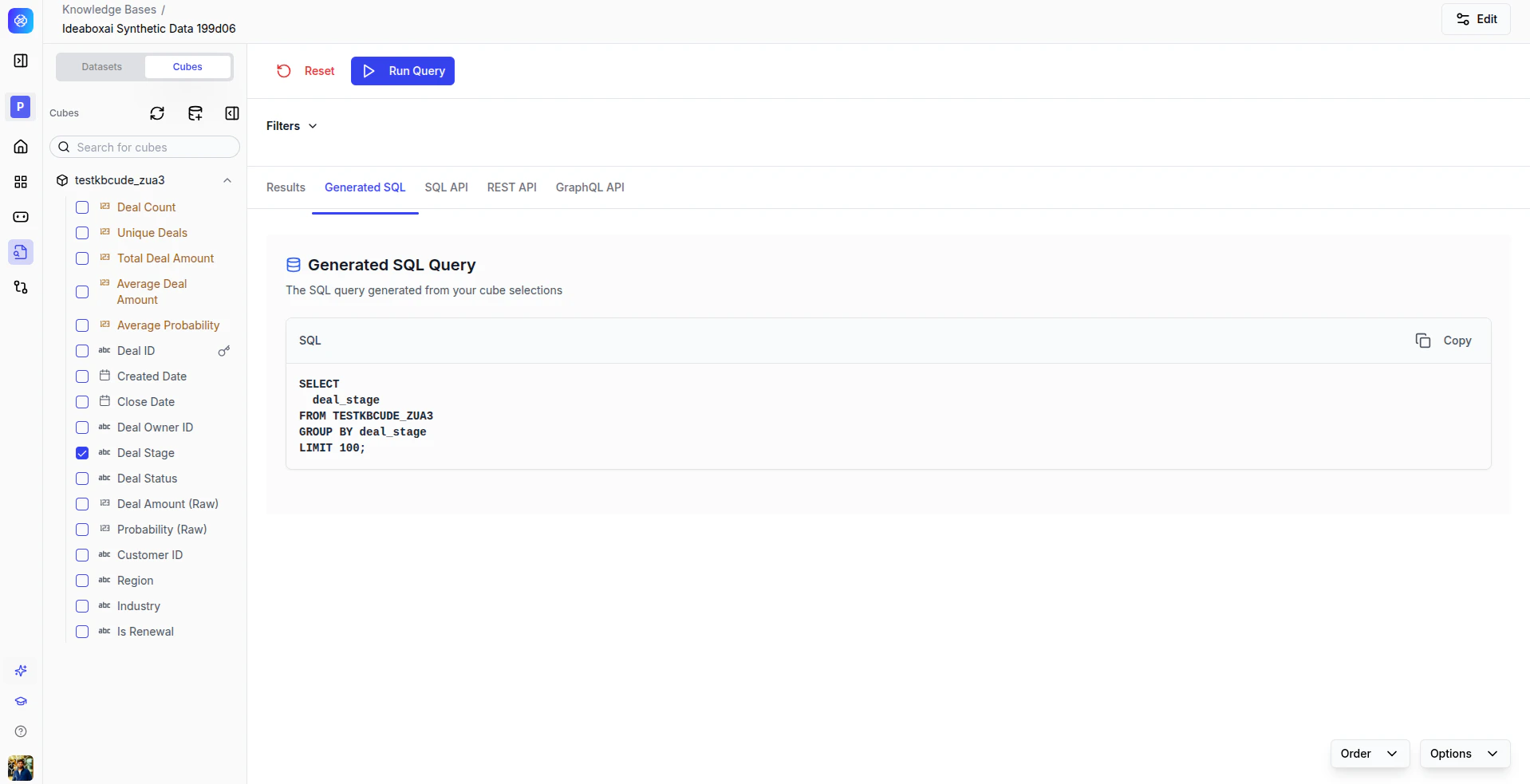
In the structured knowledge base view, the cube interface shows:- A list of existing cubes in the left panel.
- The measures and dimensions of the selected cube.
- Query execution controls and a result preview.
Create a new cube
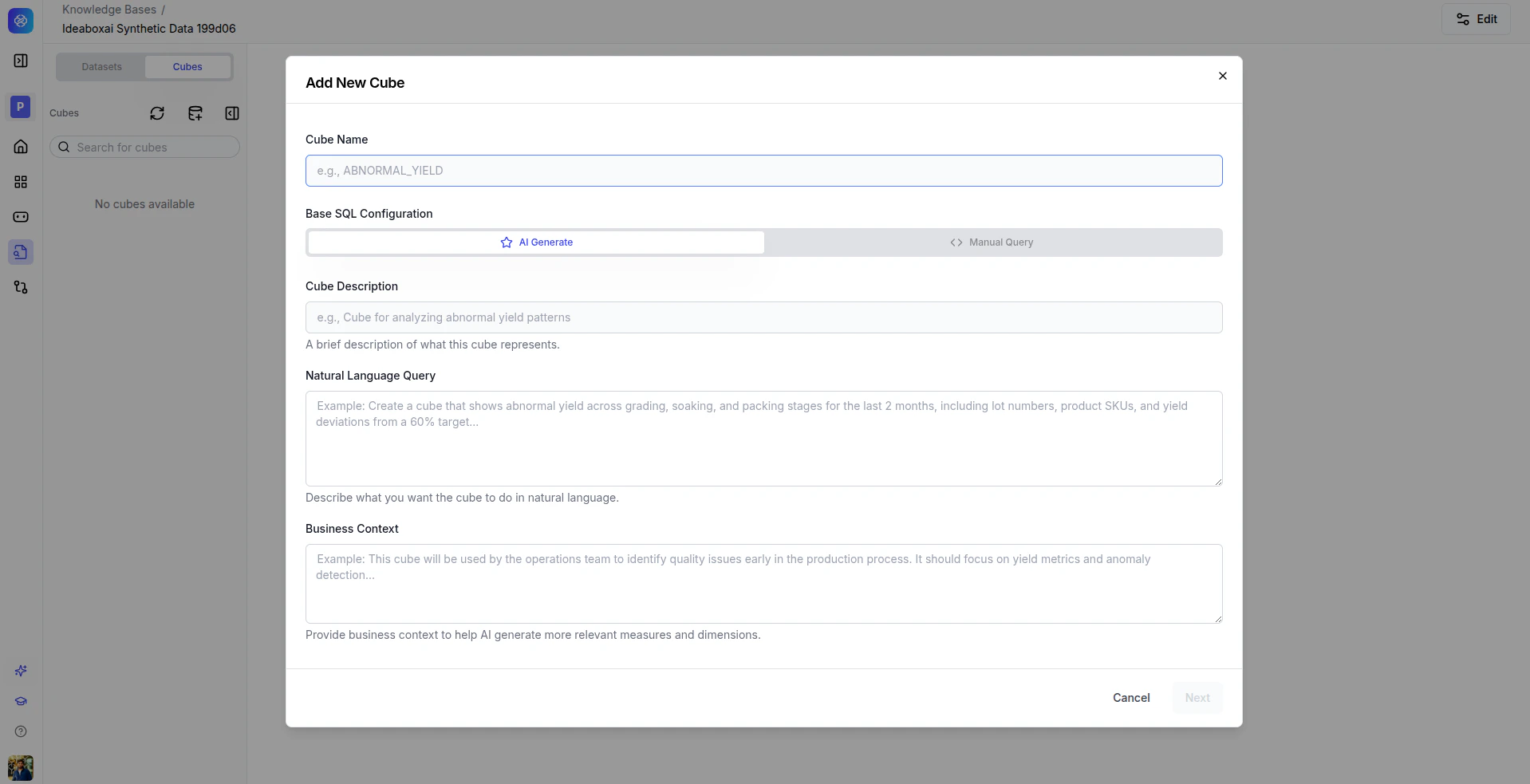
AI Generate (recommended)
Let AI automatically generate the base SQL, measures, and dimensions from a natural language description.1
Enter a cube name
Provide a unique, descriptive identifier, for example
ORDER_SUMMARY or MONTHLY_REVENUE.2
Write a description
A concise explanation of the cube’s analytical purpose.
3
Describe the analytics in natural language
Tell the AI what you want to analyze, for example “Show total revenue by region and product category, with month-over-month trends.”
4
Provide business context
Add domain context so the AI can make better decisions about joins, filters, and metric definitions.
Manual query
For advanced users who want to author SQL directly.1
Enter a cube name
Provide a unique identifier for the cube.
2
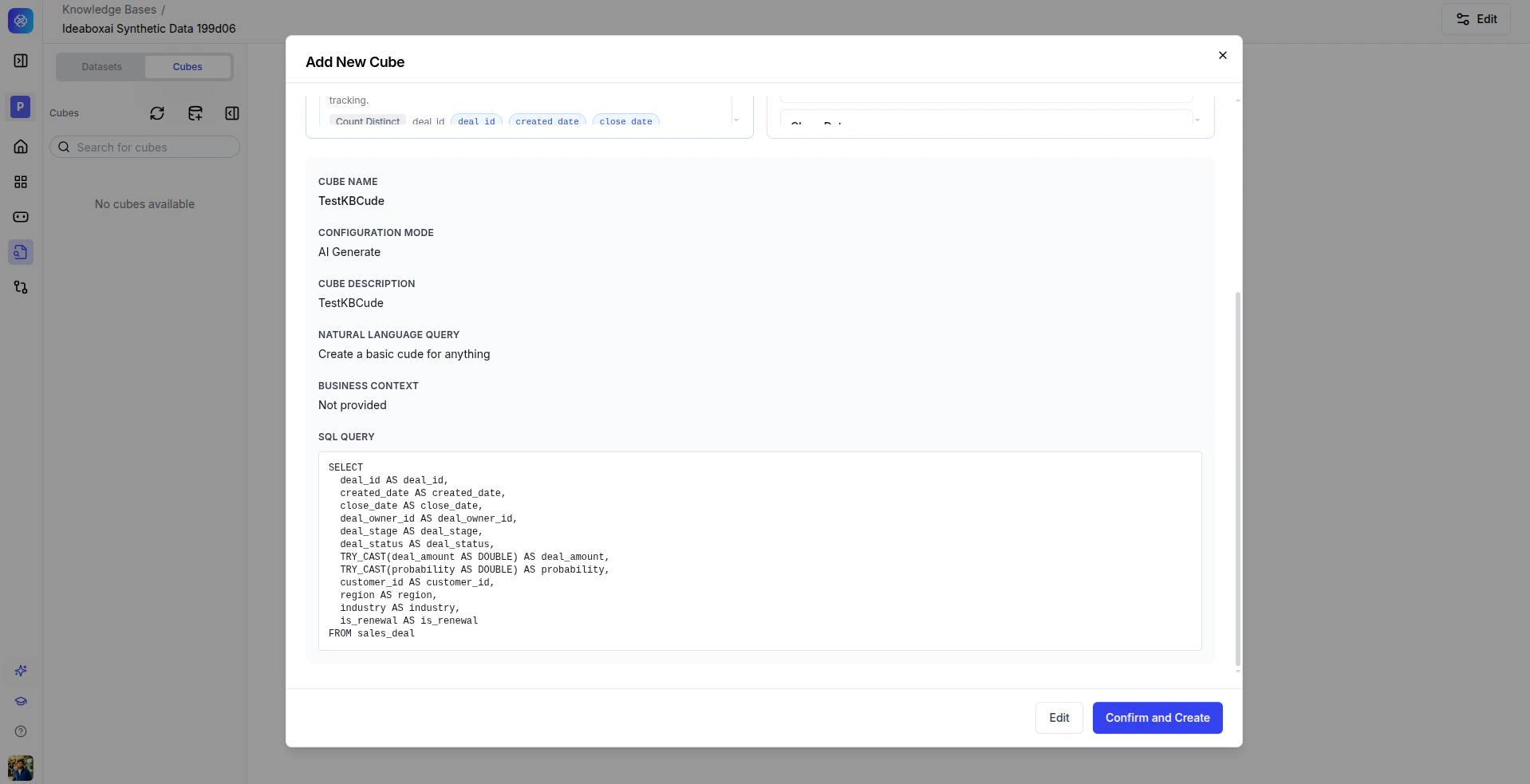
Write the base SQL
Author a custom SQL query that defines the cube’s data source.
- Clearly document the business intent in the description and context fields.
- Test generated SQL before deploying to production workflows.
- Start with simple cubes and iterate based on feedback.
Execute queries and view results
Once a cube is created, you can query it using the cube selection panel.1
Select measures
Choose the metrics you want to calculate.
2
Select dimensions
Choose how to group and filter the results.
3
Apply filters
Narrow the results to a specific subset of data.
4
Run the query
Click Run Query to execute.
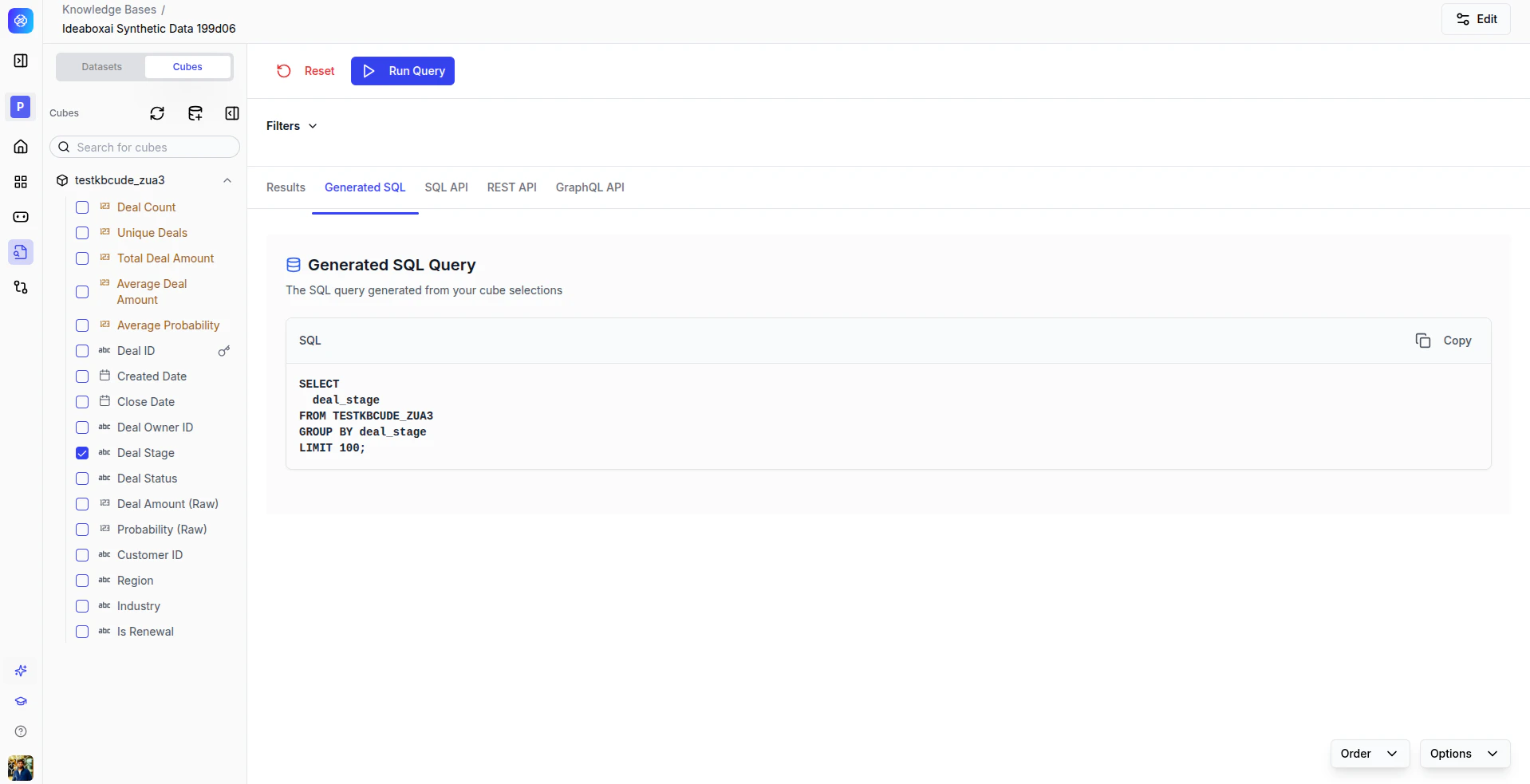
View results in multiple formats
Query results are available in several formats via tabs.
Best practices
- Start with a limited number of dimensions for better performance.
- Reuse generated API endpoints instead of re-running UI queries.
- Validate results against source systems for critical analytics.
- Export and share results with your team.