> ## Documentation Index
> Fetch the complete documentation index at: https://docs.ideaboxai.com/llms.txt
> Use this file to discover all available pages before exploring further.
# Creating and querying cubes
> Build analytical models with measures, dimensions, and queryable APIs on top of your structured data.
Cubes are analytical models built on top of structured data. They define the measures you want to calculate, the dimensions you want to group and filter by, and the SQL logic that generates the data. This guide walks you through creating cubes and executing queries.
## Understanding cubes
A cube defines three things.
| Component | Description | Example |
| -------------- | -------------------------------------------------- | ------------------------------------------- |
| **Measures** | Metrics to calculate. | Total revenue, average price, record count. |
| **Dimensions** | Attributes to group or filter by. | Date, category, region, status. |
| **SQL Logic** | The underlying query that generates the cube data. | A SELECT statement joining relevant tables. |
## Access the cube configuration interface
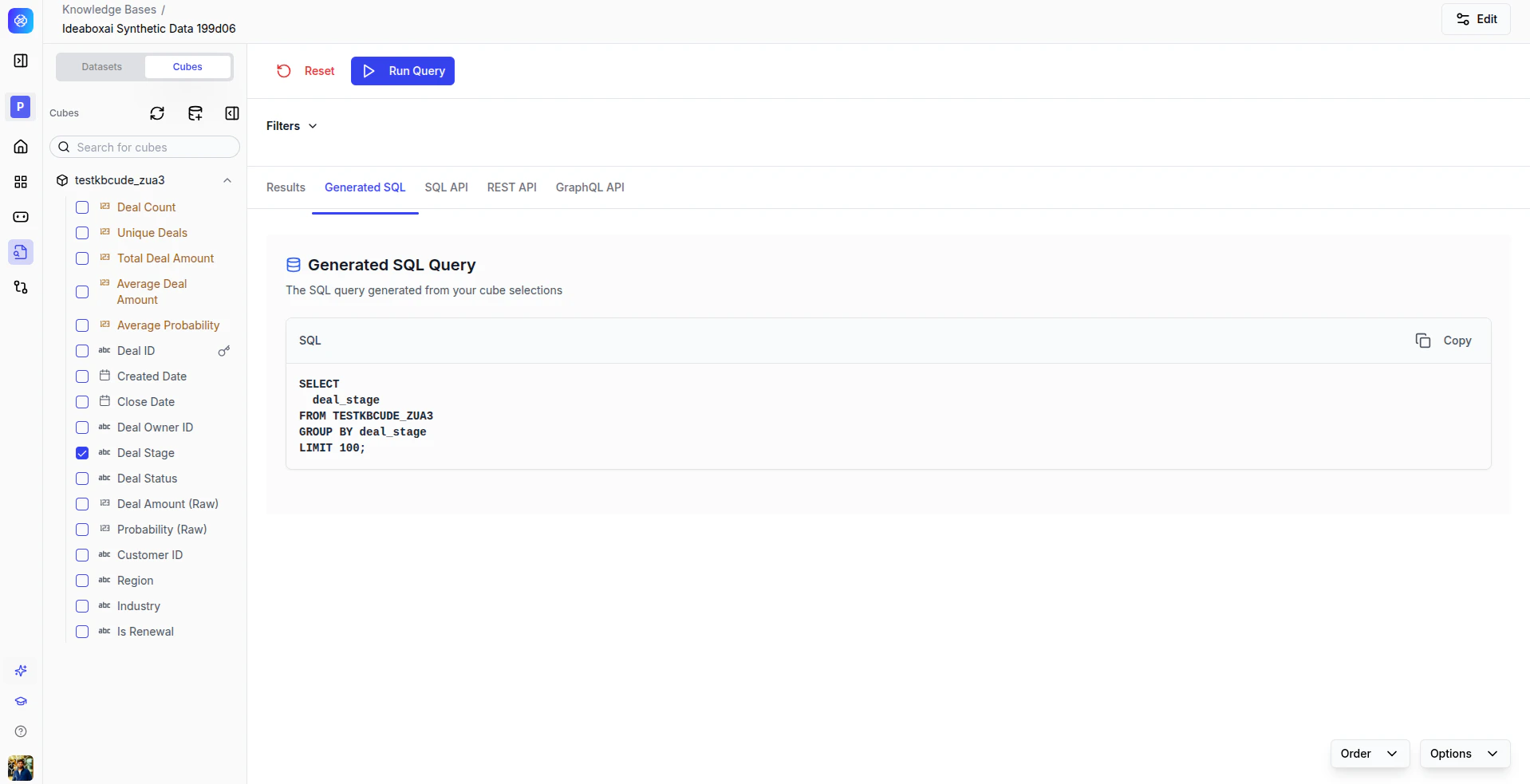
In the structured knowledge base view, the cube interface shows:
* A list of existing cubes in the left panel.
* The measures and dimensions of the selected cube.
* Query execution controls and a result preview.
 Click **Add Cube** to create a new one.
Ensure the underlying datasets are already validated and available before creating cubes. Follow consistent naming conventions to simplify discoverability.
## Create a new cube
Click **Add Cube** to create a new one.
Ensure the underlying datasets are already validated and available before creating cubes. Follow consistent naming conventions to simplify discoverability.
## Create a new cube
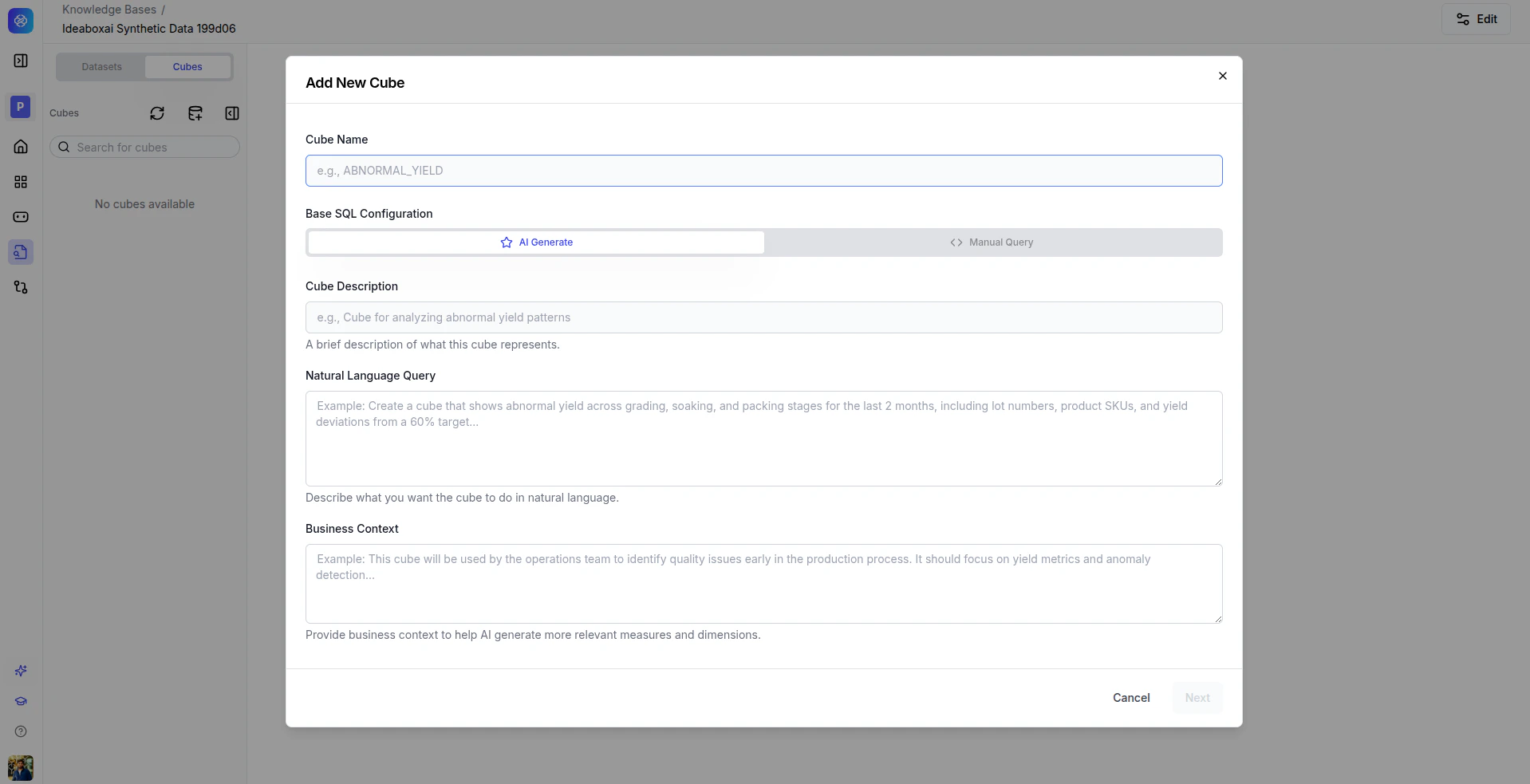 The Add Cube modal provides two approaches.
### AI Generate (recommended)
Let AI automatically generate the base SQL, measures, and dimensions from a natural language description.
Provide a unique, descriptive identifier, for example `ORDER_SUMMARY` or `MONTHLY_REVENUE`.
A concise explanation of the cube's analytical purpose.
Tell the AI what you want to analyse, for example "Show total revenue by region and product category, with month-over-month trends."
Add domain context so the AI can make better decisions about joins, filters, and metric definitions.
The Add Cube modal provides two approaches.
### AI Generate (recommended)
Let AI automatically generate the base SQL, measures, and dimensions from a natural language description.
Provide a unique, descriptive identifier, for example `ORDER_SUMMARY` or `MONTHLY_REVENUE`.
A concise explanation of the cube's analytical purpose.
Tell the AI what you want to analyse, for example "Show total revenue by region and product category, with month-over-month trends."
Add domain context so the AI can make better decisions about joins, filters, and metric definitions.
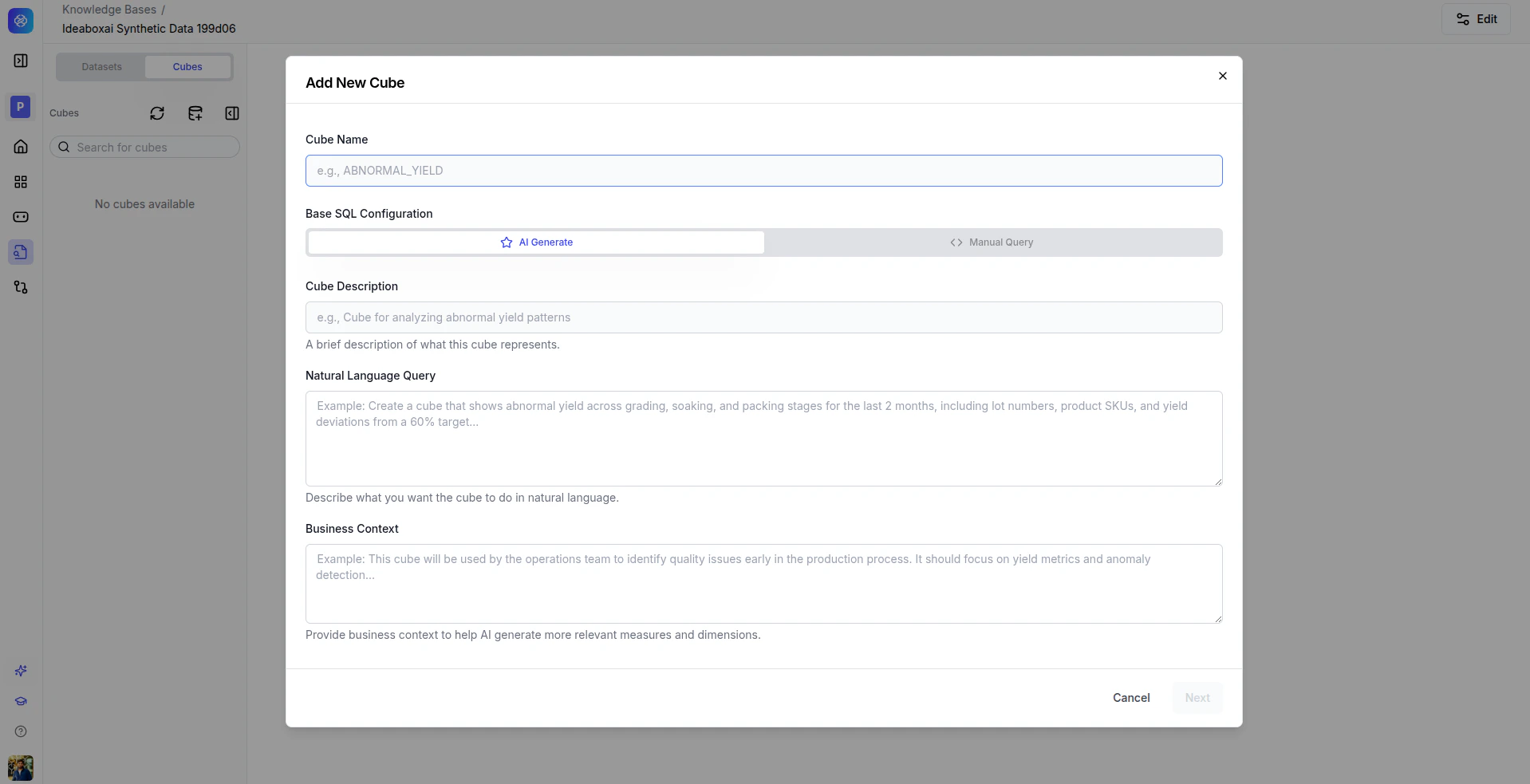 The AI analyses your datasets and context to generate optimized SQL with appropriate measures and dimensions.
### Manual query
For advanced users who want to author SQL directly.
Provide a unique identifier for the cube.
Author a custom SQL query that defines the cube's data source.
The AI analyses your datasets and context to generate optimized SQL with appropriate measures and dimensions.
### Manual query
For advanced users who want to author SQL directly.
Provide a unique identifier for the cube.
Author a custom SQL query that defines the cube's data source.
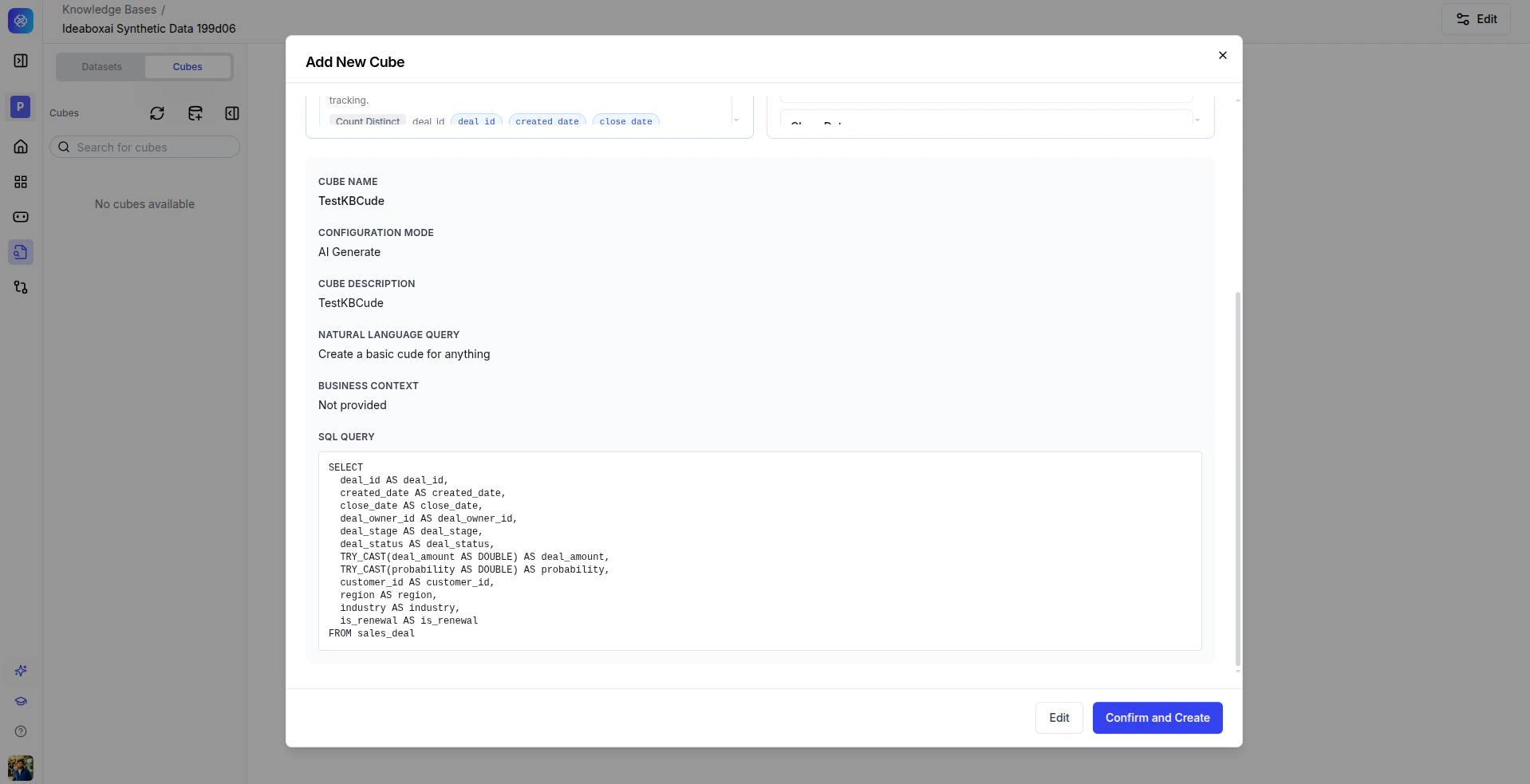 Prefer AI Generate for rapid prototyping and exploratory analytics. Use Manual Query for performance-critical or highly customized analytical logic.
**Best practices**
* Clearly document the business intent in the description and context fields.
* Test generated SQL before deploying to production workflows.
* Start with simple cubes and iterate based on feedback.
## Execute queries and view results
Once a cube is created, you can query it using the cube selection panel.
Choose the metrics you want to calculate.
Choose how to group and filter the results.
Narrow the results to a specific subset of data.
Click **Run Query** to execute.
Prefer AI Generate for rapid prototyping and exploratory analytics. Use Manual Query for performance-critical or highly customized analytical logic.
**Best practices**
* Clearly document the business intent in the description and context fields.
* Test generated SQL before deploying to production workflows.
* Start with simple cubes and iterate based on feedback.
## Execute queries and view results
Once a cube is created, you can query it using the cube selection panel.
Choose the metrics you want to calculate.
Choose how to group and filter the results.
Narrow the results to a specific subset of data.
Click **Run Query** to execute.
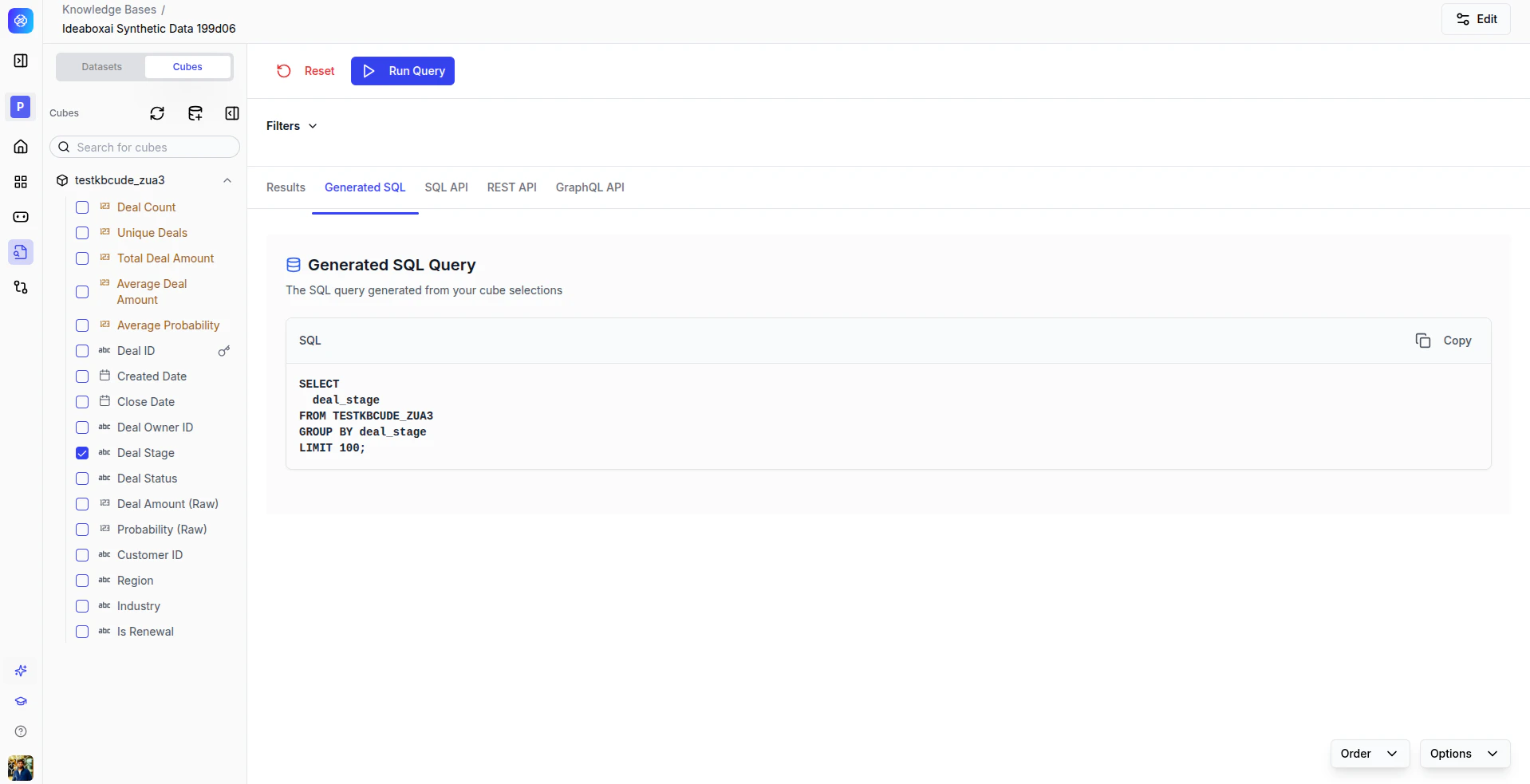 ### View results in multiple formats
Query results are available in several formats via tabs.
| Tab | Description |
| ----------------- | ---------------------------------------------------- |
| **Results** | Interactive table or chart view of the query output. |
| **Generated SQL** | The SQL query powering the results. |
| **SQL API** | An endpoint for SQL-based integrations. |
| **REST API** | A RESTful endpoint for application integrations. |
| **GraphQL API** | A GraphQL endpoint for data fetching. |
**Best practices**
* Start with a limited number of dimensions for better performance.
* Reuse generated API endpoints instead of re-running UI queries.
* Validate results against source systems for critical analytics.
* Export and share results with your team.
### View results in multiple formats
Query results are available in several formats via tabs.
| Tab | Description |
| ----------------- | ---------------------------------------------------- |
| **Results** | Interactive table or chart view of the query output. |
| **Generated SQL** | The SQL query powering the results. |
| **SQL API** | An endpoint for SQL-based integrations. |
| **REST API** | A RESTful endpoint for application integrations. |
| **GraphQL API** | A GraphQL endpoint for data fetching. |
**Best practices**
* Start with a limited number of dimensions for better performance.
* Reuse generated API endpoints instead of re-running UI queries.
* Validate results against source systems for critical analytics.
* Export and share results with your team.