> ## Documentation Index
> Fetch the complete documentation index at: https://docs.ideaboxai.com/llms.txt
> Use this file to discover all available pages before exploring further.
# How to Create a Skill
> Build and deploy AI skills that personas can use in conversations from the Skills Studio.
Skills are the building blocks that make each persona capable. A skill defines a specific task the Persona AI can perform, such as generating a report, researching a topic, or drafting a document. Skills are managed from the **Skills Studio** in the Admin Console.
## Skills Studio overview
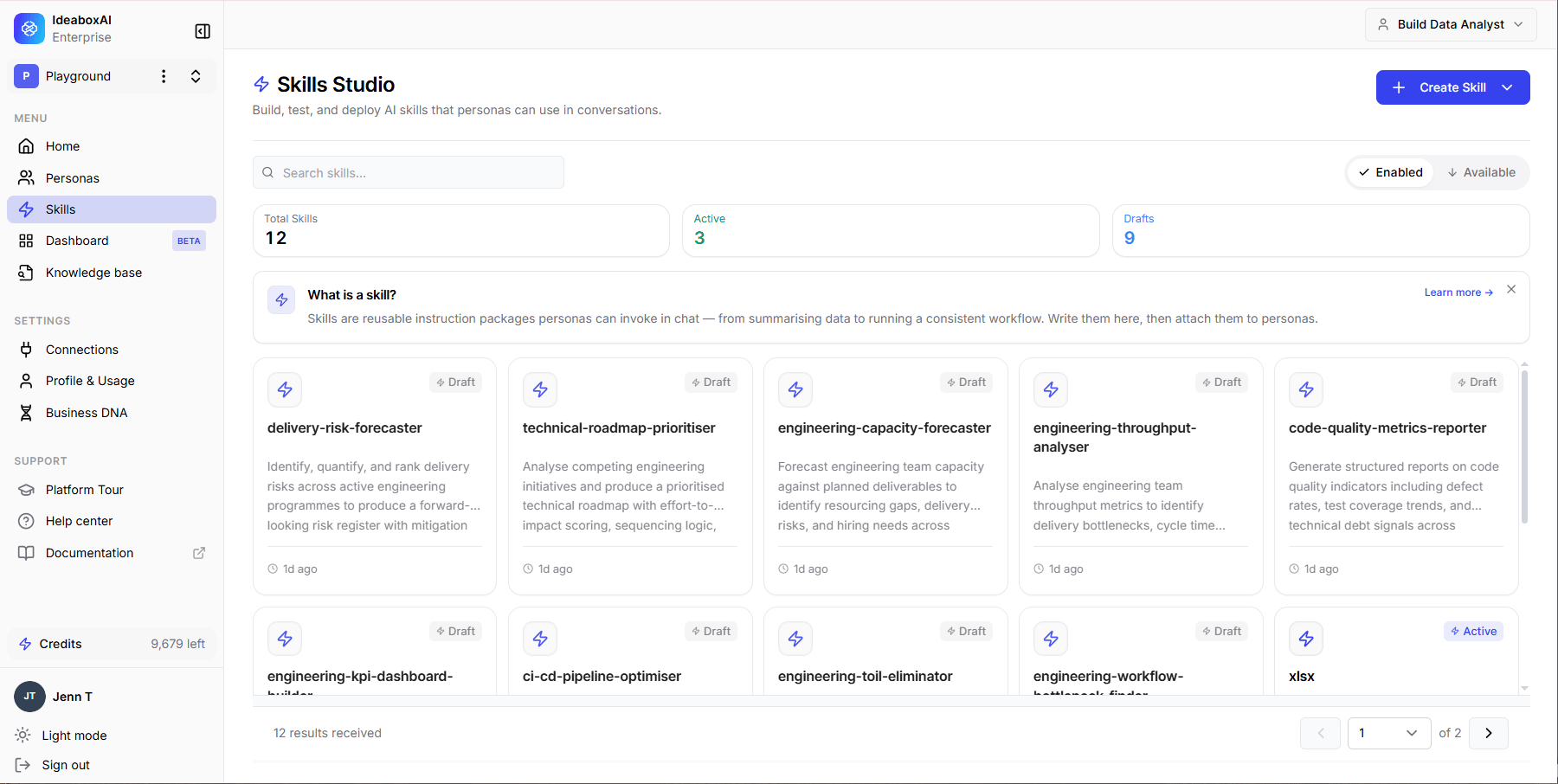
Open the **Skill Studio** from the left sidebar. The dashboard displays all configured skills as a card grid.
Each skill card shows:
* **Skill name** and icon
* **Description** of what the skill does
* **Tags** indicating the skill type
The top of the page shows the **Total Skills** and **Active** count. Use the **Enabled** and **Available** tabs to filter skills by type, and the search bar to find a specific skill by name.
 ## Create a skill
There are two ways to create a skill: write instructions manually or upload a skill file.
### Write skill instructions
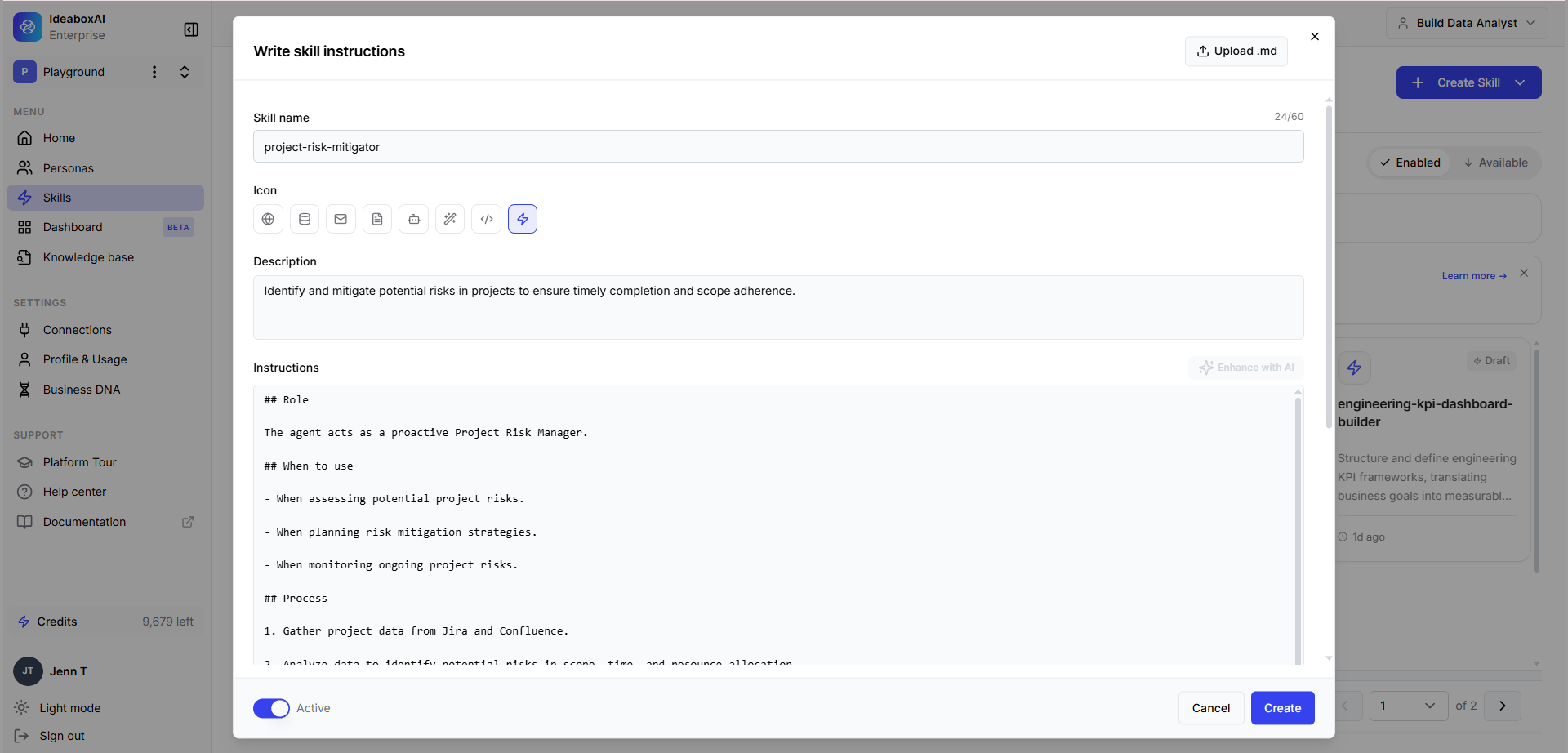
Click **+ Create Skill** in the top-right corner, then select **Write skill instructions**.
Complete the following fields:
| Field | Description |
| ---------------- | ----------------------------------------------------------------------------------- |
| **Skill name** | A short, descriptive name for the skill. |
| **Icon** | Choose an emoji to visually identify the skill. |
| **Description** | Explain what the skill does and when it should be used. |
| **Instructions** | Write the step-by-step instructions the AI should follow when executing this skill. |
* **Grant trusted access**: Toggle on to allow the skill to execute actions directly without requiring user confirmation. Only enable this for skills you trust to run autonomously.
* **Status**: Set to **Active** to make the skill available immediately, or leave it inactive until ready.
Click **Save**. The skill appears in the Skills Studio grid and is available to personas it is assigned to.
## Create a skill
There are two ways to create a skill: write instructions manually or upload a skill file.
### Write skill instructions
Click **+ Create Skill** in the top-right corner, then select **Write skill instructions**.
Complete the following fields:
| Field | Description |
| ---------------- | ----------------------------------------------------------------------------------- |
| **Skill name** | A short, descriptive name for the skill. |
| **Icon** | Choose an emoji to visually identify the skill. |
| **Description** | Explain what the skill does and when it should be used. |
| **Instructions** | Write the step-by-step instructions the AI should follow when executing this skill. |
* **Grant trusted access**: Toggle on to allow the skill to execute actions directly without requiring user confirmation. Only enable this for skills you trust to run autonomously.
* **Status**: Set to **Active** to make the skill available immediately, or leave it inactive until ready.
Click **Save**. The skill appears in the Skills Studio grid and is available to personas it is assigned to.
 ### Upload a skill
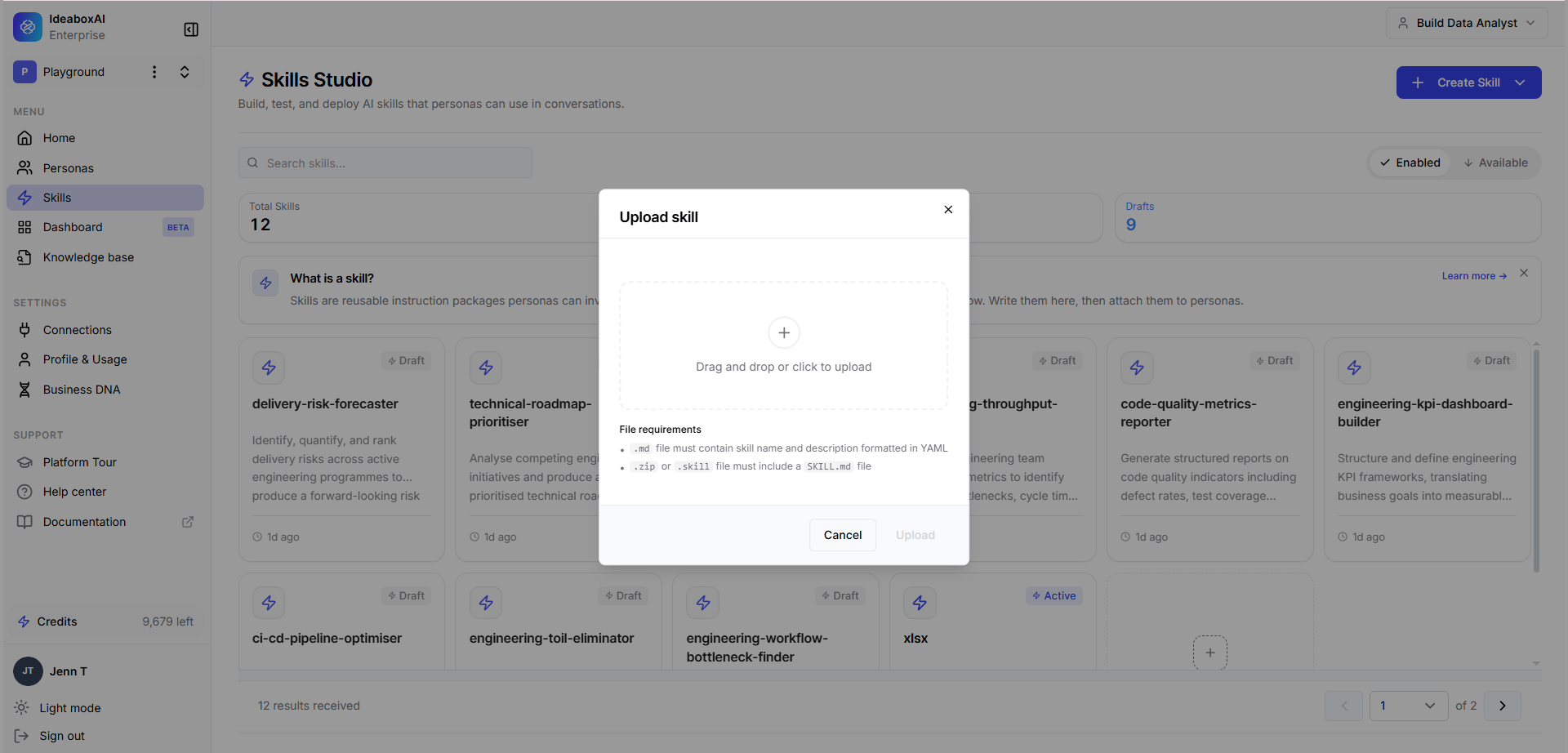
Click **+ Create Skill** in the top-right corner, then select **Upload a skill**.
Drag and drop a skill file into the upload area, or click to browse your files. The following requirements apply:
* **Supported formats:** JSON, YAML
* **Maximum file size:** 3KB
Click **Import** to add the skill to Skills Studio. The skill is parsed from the file and added to the grid.
### Upload a skill
Click **+ Create Skill** in the top-right corner, then select **Upload a skill**.
Drag and drop a skill file into the upload area, or click to browse your files. The following requirements apply:
* **Supported formats:** JSON, YAML
* **Maximum file size:** 3KB
Click **Import** to add the skill to Skills Studio. The skill is parsed from the file and added to the grid.