> ## Documentation Index
> Fetch the complete documentation index at: https://docs.ideaboxai.com/llms.txt
> Use this file to discover all available pages before exploring further.
# Settings and user preferences
> Configure your profile and manage connections from the settings panel.
Settings are accessible in the left-side bar. Navigate to Profile & Usage or Connections from here.
## Profile
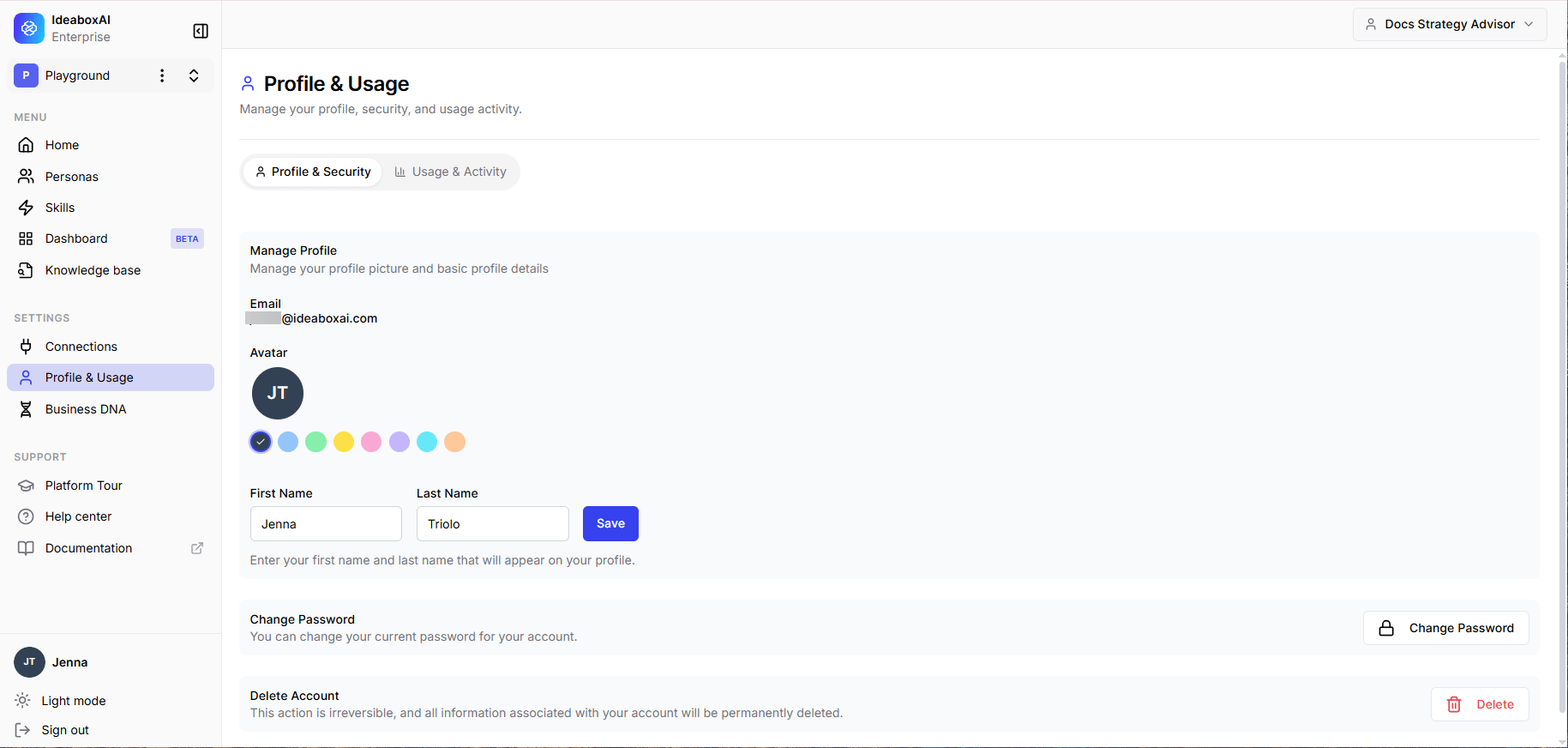
The Profile section manages your personal information and platform identity. The following settings are available.
| Setting | Description |
| ---------------- | ------------------------------------------------------------------------------------------------------------------------------------------------------------------------ |
| **Avatar** | 8 colour options. The selected colour is shown with a checkmark. The default is an initials-based avatar. |
| **Display Name** | Editable. Used in greetings and references throughout the platform. |
| **Personas** | Multi-select pill UI. Active personas are highlighted in blue. Drives starter prompts and knowledge-base scope. Available personas are configured by your administrator. |
| **Language** | Dropdown. Default: English. Drives AI response language. |
| **Last Active** | Read-only timestamp. |
 ## Connections
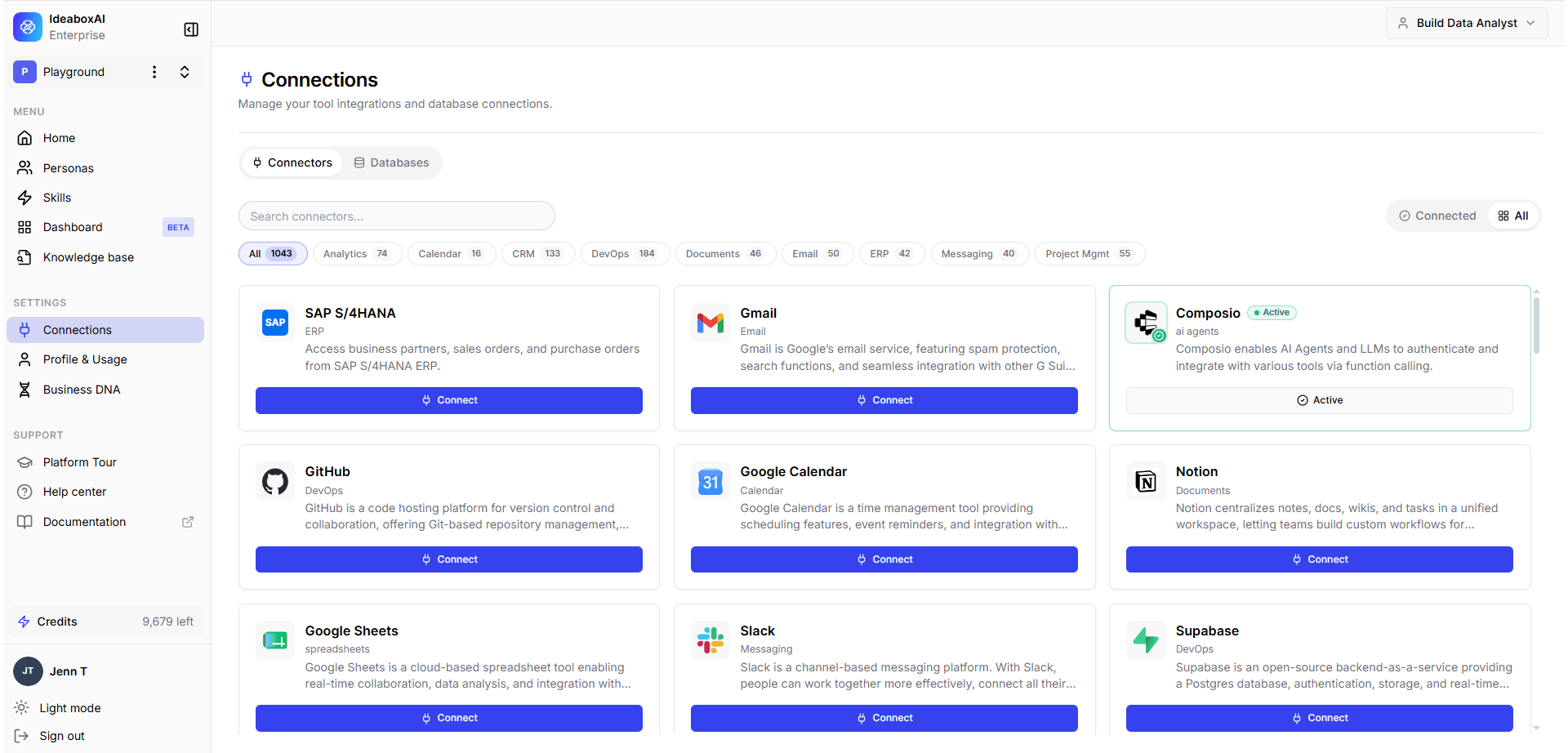
The Connections section manages all tool integrations, APIs, and database connections. A summary count of active connections is shown at the top. The following table describes the connection management interface.
| Setting | Description |
| ------------------------ | ------------------------------------------------------------------------------------------------------------------------------------------- |
| **Filter Tabs** | All \| MCP Integrations \| APIs \| Databases. Includes a search bar for name lookup. |
| **Connected** | Card shows **Reconfigure** and **Disconnect** actions. Examples: Salesforce (API), Gong (API), Confluence (MCP), Data Warehouse (Database). |
| **Available to connect** | Full-width **Connect** button. Examples: Google Drive (MCP), Gmail (API). |
The following integration types are available.
| Type | Integrations |
| -------------------- | ------------------------------------------------------ |
| **MCP Integrations** | Confluence, Google Drive, Slack, Notion, Jira, Linear. |
| **APIs** | Salesforce, Gong, Gmail, HubSpot, Stripe, GitHub. |
| **Databases** | Data Warehouse, PostgreSQL, MySQL. |
## Connections
The Connections section manages all tool integrations, APIs, and database connections. A summary count of active connections is shown at the top. The following table describes the connection management interface.
| Setting | Description |
| ------------------------ | ------------------------------------------------------------------------------------------------------------------------------------------- |
| **Filter Tabs** | All \| MCP Integrations \| APIs \| Databases. Includes a search bar for name lookup. |
| **Connected** | Card shows **Reconfigure** and **Disconnect** actions. Examples: Salesforce (API), Gong (API), Confluence (MCP), Data Warehouse (Database). |
| **Available to connect** | Full-width **Connect** button. Examples: Google Drive (MCP), Gmail (API). |
The following integration types are available.
| Type | Integrations |
| -------------------- | ------------------------------------------------------ |
| **MCP Integrations** | Confluence, Google Drive, Slack, Notion, Jira, Linear. |
| **APIs** | Salesforce, Gong, Gmail, HubSpot, Stripe, GitHub. |
| **Databases** | Data Warehouse, PostgreSQL, MySQL. |